

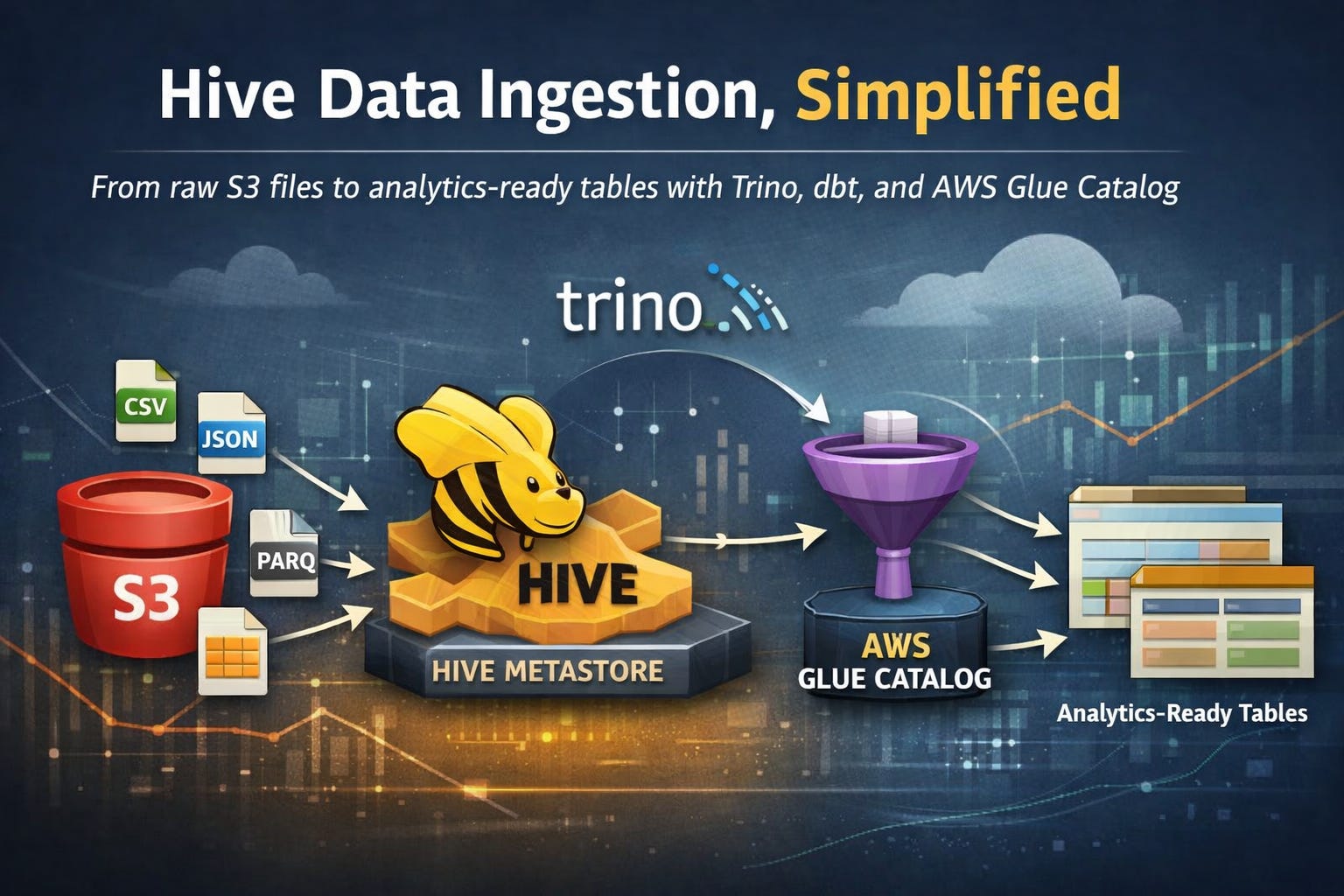
Introduction
Data ingestion is rarely glamorous — but getting it right is everything. In a previous post, we explored batch data ingestion using Trino and dbt with a relational database as the source. But real-world data pipelines are messier: files land in S3 buckets from various sources, in various formats, and you need a reliable, manageable way to bring them into your Data Lake.
The natural question is: why not just create an external schema and table directly? You absolutely can — and in many cases, you should. But there are scenarios where that approach introduces more friction than it solves:
Managing permissions between database users, IAM roles, and S3 buckets can become a tangled, error-prone mess
Each warehouse (Redshift, BigQuery, Snowflake) handles external tables differently, making your pipeline harder to standardize
Ingestion logic scattered across SQL scripts and cloud consoles is difficult to version, test, and maintain
Onboarding new data sources requires touching infrastructure, not just code
We’re also familiar with the dbt-redshift external tables package, and while it’s a clever solution, it introduces a fundamental design concern: dbt shouldn’t be responsible for managing sources. Sources are meant to be stable, pre-existing references that dbt reads from — not objects that dbt creates or controls. When dbt starts owning source definitions, the line between infrastructure and transformation blurs, making pipelines harder to reason about, debug, and hand off to other teams. Models should run and transform; sources should simply exist.
Why Hive?
Apache Hive has been around since 2008, originally developed at Facebook to bring SQL-like querying to Hadoop’s distributed file system. At its core, Hive introduced a revolutionary idea: separate the metadata (where the data lives, how it’s structured, what format it’s in) from the data itself. This metadata layer — the Hive Metastore — became the backbone of the Hadoop ecosystem and eventually the de facto standard for Data Lake table management, adopted by virtually every major distributed query engine, including Spark, Presto, and later Trino.
Over time, more modern table formats emerged to address Hive’s limitations. Apache Iceberg, for example, was designed to handle the pain points that Hive struggled with at scale: full ACID transactions, reliable schema evolution, time travel, and efficient handling of billions of files. Iceberg is undeniably powerful — and if you’re building a large-scale, write-heavy lakehouse with complex update and delete patterns, it’s likely the better choice.
But here’s the thing: Hive’s simplicity is a feature, not a bug. Iceberg’s richness comes with real operational overhead — more configuration, more moving parts, and a steeper learning curve. When your goal is straightforward S3 file ingestion without complex upserts or time travel requirements, Iceberg can feel like bringing a sledgehammer to crack a nut. Hive’s loss in the feature war is our gain in the simplicity game.
This is where Hive shines. By leveraging Hive Metastore alongside AWS Glue Catalog as the metadata layer, we can define, manage, and transform S3 data in a consistent, code-first way — entirely within dbt. No console gymnastics, no permission rabbit holes. Sources remain untouched and independently managed, while dbt focuses on what it does best: running transformations.
That said, Hive isn’t a silver bullet:
It adds an extra layer to your stack, which means more components to monitor and maintain
Query performance on very large, unpartitioned datasets can lag behind native warehouse solutions
It works best when you’re already operating within the AWS ecosystem — outside of it, the setup overhead may not be worth it
Schema evolution (adding/changing columns) requires careful handling to avoid breaking downstream models
If you’re already working in AWS and want to manage your ingestion logic cleanly in dbt, Hive is a natural, battle-tested fit. Let’s walk through how we set it all up.
Hive-Trino Setup
With the “why” out of the way, let’s get our hands dirty. The setup boils down to two things: telling Trino how to talk to Hive via AWS Glue, and giving the right IAM permissions to make it all work.
1. Adding the Hive Catalog to Trino
Trino uses catalog configuration files to connect to different data sources. To wire up Hive with AWS Glue as the metastore, add the following catalog:
s3_source_files_hive: |
    connector.name=hive
    hive.metastore=glue
    hive.metastore.glue.aws-access-key=${aws_access_key_hive}
    hive.metastore.glue.aws-secret-key=${aws_secret_key_hive}
    hive.metastore.glue.region=us-east-1
    fs.native-s3.enabled=true
    s3.aws-access-key=${aws_access_key_hive}
    s3.aws-secret-key=${aws_secret_key_hive}
    s3.region=us-east-1
    s3.path-style-access=true
A few things worth noting here:
hive.metastore=glue is the key line — it tells Trino to use AWS Glue Catalog instead of a self-hosted Hive Metastore, which saves you from spinning up and maintaining yet another service
fs.native-s3.enabled=true enables Trino’s native S3 filesystem, which is more performant and reliable than the legacy Hadoop-based S3 driver
Credentials are injected via environment variables, keeping secrets out of your config files — make sure these are properly set in your Trino deployment
2. IAM Policy
The catalog configuration alone isn’t enough — the IAM user referenced by those credentials needs the right permissions to both read/write from S3 and interact with the Glue Catalog. Attach the following policy:
{
    “Version”: “2012-10-17”,
    “Statement”: [
        {
            “Sid”: “S3DataReadWrite”,
            “Effect”: “Allow”,
            “Action”: [
                “s3:GetBucketLocation”,
                “s3:ListBucket”,
                “s3:GetObject”,
                “s3:PutObject”,
                “s3:DeleteObject”
            ],
            “Resource”: [
                “arn:aws:s3:::source-files-hive”,
                “arn:aws:s3:::source-files-hive/*”
            ]
        },
        {
            “Sid”: “GlueMetadataReadWrite”,
            “Effect”: “Allow”,
            “Action”: [
                “glue:GetDatabase”,
                “glue:GetDatabases”,
                “glue:CreateDatabase”,
                “glue:GetTable”,
                “glue:GetTables”,
                “glue:CreateTable”,
                “glue:UpdateTable”,
                “glue:DeleteTable”,
                “glue:GetPartition”,
                “glue:GetPartitions”,
                “glue:CreatePartition”,
                “glue:BatchCreatePartition”,
                “glue:DeletePartition”,
                “glue:BatchDeletePartition”
            ],
            “Resource”: [
                “arn:aws:glue:us-east-1:<account_id>:catalog”,
                “arn:aws:glue:us-east-1:<account_id>:database/s3_source_files_hive”,
                “arn:aws:glue:us-east-1:<account_id>:table/s3_source_files_hive/*”
            ]
        }
    ]
}
The policy is split into two clear responsibilities:
S3DataReadWrite — grants access to the source-files-hive bucket, which is where your raw source files will be initially dropped. Trino needs read access to query them and write access to manage any intermediate outputs
GlueMetadataReadWrite — grants Trino the ability to interact with Glue Catalog: reading and creating databases, managing tables, and handling partitions. Notice the resources are intentionally scoped to the s3_source_files_hive database only — following the principle of least privilege, we don’t hand out catalog-wide permissions
💡 Tip: Replace <account_id> with your actual AWS account ID before applying the policy. If you’re managing this via Terraform or CloudFormation, this is a good candidate for a variable substitution.
With the catalog registered and IAM permissions in place, Trino can now discover and query any Hive tables registered in your Glue Catalog. Next, let’s look at how dbt fits into the picture.
dbt Integration
Now that Trino can talk to Glue and read from S3, we need to bridge the last gap: making dbt aware of our Hive tables and using them as sources for transformations. The elegant part of this approach is that we don’t register tables manually — we create them dynamically using a dbt macro, triggered as a pre_hook before the model runs.
1. The Macro
Add the following macro to your dbt Trino project:
{% macro create_external_hive_table(model_name, schema_definition, s3_location) %}
    {% set target_relation = “s3_source_files_hive.s3_source_files_hive.” ~ model_name %}
    {% set sql %}
        DROP TABLE IF EXISTS {{ target_relation }};
        CREATE TABLE {{ target_relation }} (
            {{ schema_definition }}
        )
        WITH (
            external_location = ‘{{ s3_location }}’,
            format = ‘CSV’,
            skip_header_line_count = 1
        )
    {% endset %}
    {% if execute %}
        {% do run_query(sql) %}
        {{ log(”Created Hive Table: “ ~ target_relation, info=True) }}
    {% endif %}
    {{ return(”SELECT 1”) }}
{% endmacro %}
Let’s break down what’s happening here:
target_relation — builds the fully qualified table name in the format catalog.database.table, pointing directly at our s3_source_files_hive catalog and database
DROP TABLE IF EXISTS — ensures idempotency. Every time the model runs, the Hive table is recreated fresh. This is intentional: if the S3 files or schema change, the table definition stays in sync
CREATE TABLE ... WITH (...) — this is a Hive external table definition. The key properties are:
external_location — the S3 path where the raw files live. Hive doesn’t move or copy the data, it simply points to it
format = ‘CSV’ — tells Hive how to parse the files. This can be swapped for ORC, PARQUET, JSON, etc. depending on your source files
skip_header_line_count = 1 — skips the first row of the CSV, assuming it contains column headers
{% if execute %} — a dbt guard that prevents the macro from running during the parsing/compilation phase, only firing during actual execution
run_query(sql) — executes the DDL statement against Trino
return(”SELECT 1”) — macros used in pre_hook must return a valid SQL string. Returning SELECT 1 is a clean no-op that satisfies this requirement without side effects
2. The Model
With the macro in place, here’s how a dbt model using it looks:
{%- set hive_table = “table_name” -%}
{{
    config(
        alias=hive_table,
        pre_hook=create_external_hive_table(
            model_name=hive_table,
            schema_definition=”
                column1 VARCHAR,
                column2 VARCHAR,
                column3 VARCHAR,
                column4 VARCHAR”,
            s3_location=”s3://source-files-hive/table_folder/”
        )
    )
}}
select
    *,
    current_date as ingested_at
from
    s3_source_files_hive.s3_source_files_hive.{{ hive_table }}
Here’s the flow this model follows when dbt runs it:
pre_hook fires — before anything else, create_external_hive_table is called, dropping and recreating the Hive external table in Glue Catalog, pointed at the S3 location
The model runs — dbt executes the SELECT statement, reading directly from the freshly registered Hive table, which transparently reads the CSV files from S3
current_date as ingested_at — a small but important addition: we stamp every ingested row with the current date, giving us a simple audit trail of when the data was loaded
💡 Tip: Notice that the model name is defined once as a variable (hive_table) and reused in both the config block and the FROM clause. This keeps things DRY — if you rename the table, you change it in one place only.
This pattern keeps the separation of concerns intact: the macro handles infrastructure (table registration), and the model handles transformation. dbt does what dbt is supposed to do — and nothing more.
A Real-World Example: School Network Data Ingestion
To make this concrete, consider a large school network – say, 50+ schools across a district – already operating within AWS. Their data team is responsible for centralizing student, staff, and assessment data from a patchwork of source systems: a Student Information System, an HR platform, and several third-party assessment providers.
None of these systems share a common integration standard. What they do all share: a scheduled CSV export, dropped into S3.
Here’s what that might look like in practice:
s3://source-files-hive/
├── students/
├── staff/
└── assessments/
Each folder receives nightly file drops from the respective source system. The data team defines one dbt model per source, each invoking the same create_external_hive_table macro:
sql{%- set hive_table = “students” -%}
{{
    config(
        alias=hive_table,
        pre_hook=create_external_hive_table(
            model_name=hive_table,
            schema_definition=”
                student_id VARCHAR,
                first_name VARCHAR,
                last_name VARCHAR,
                date_of_birth VARCHAR,
                enrollment_status VARCHAR,
                school_id VARCHAR”,
            s3_location=”s3://source-files-hive/students/”
        )
    )
}}
select
    *,
    current_date as ingested_at
from
    s3_source_files_hive.s3_source_files_hive.{{ hive_table }}
sql{%- set hive_table = “staff” -%}
{{
config(
alias=hive_table,
pre_hook=create_external_hive_table(
model_name=hive_table,
schema_definition=”
staff_id VARCHAR,
full_name VARCHAR,
role VARCHAR,
department VARCHAR,
school_id VARCHAR,
employment_status VARCHAR”,
s3_location=”s3://source-files-hive/staff/”
)
)
}}
select
*,
current_date as ingested_at
from
s3_source_files_hive.s3_source_files_hive.{{ hive_table }}sql{%- set hive_table = “assessments” -%}
{{
config(
alias=hive_table,
pre_hook=create_external_hive_table(
model_name=hive_table,
schema_definition=”
assessment_id VARCHAR,
student_id VARCHAR,
subject VARCHAR,
score VARCHAR,
max_score VARCHAR,
assessment_date VARCHAR,
school_id VARCHAR”,
s3_location=”s3://source-files-hive/assessments/”
)
)
}}
select
*,
current_date as ingested_at
from
s3_source_files_hive.s3_source_files_hive.{{ hive_table }}The result: three clean, independently managed source tables, registered automatically on each dbt run, with zero manual intervention. The data team can onboard a new source system – say, a library platform or a special education tracking tool – by adding a single model file and an S3 folder. No console access required, no infrastructure tickets, no cross-team dependency on a cloud engineer to wire up permissions.
Downstream, dbt models join students, staff, and assessments to produce analytics-ready datasets: attendance summaries, assessment score trends by school, staff-to-student ratios. The ingestion layer stays untouched – it simply exists, and the transformation layer builds on top of it.
Summary
Data ingestion doesn’t have to be complicated. In this post, we walked through a clean, practical approach to bringing raw S3 files into a queryable Data Lake — without overengineering the pipeline or blurring the lines between infrastructure and transformation.
Here’s what we covered:
Why Hive over alternatives — Hive’s maturity and simplicity make it a natural fit for straightforward S3 ingestion. Where Iceberg wins on features, Hive wins on pragmatism. When you don’t need ACID transactions or time travel, there’s no reason to pay the complexity tax
Why not external tables or dbt-redshift packages — external tables introduce permission headaches and lack standardization across warehouses. The dbt external tables package, while clever, violates a core dbt principle: sources should exist independently, not be managed by the transformation layer
Trino + AWS Glue Catalog — by configuring a Hive catalog in Trino and pointing it at Glue, we get a fully managed, serverless metastore without spinning up any additional infrastructure. A tightly scoped IAM policy keeps things secure and follows the principle of least privilege
Dynamic table creation with dbt macros — instead of manually registering Hive tables, a single reusable macro handles the DDL as a pre_hook, keeping table definitions in sync with your S3 files on every run
Clean separation of concerns — the macro owns infrastructure, the model owns transformation. dbt stays in its lane, and your pipeline stays maintainable
The result is a lightweight, reproducible, and version-controlled ingestion pipeline that lives entirely in your dbt project — no console gymnastics, no permission rabbit holes, no overengineering.
If you’re already running Trino on AWS and want a simple on-ramp for S3 file ingestion, this stack is hard to beat. As always, the best pipeline is the one your team can actually understand, maintain, and extend — and this one fits that bill.