

Introduction
Every data stack has environments — dev, staging, production. Superset doesn’t know that.
When it’s time to move a dashboard from staging to production within the same Superset cluster, you have two options. You can open each chart individually and swap the datasource — a fifteen-minute slog on a busy dashboard, and a reliable way to miss one. Or you can change the dataset’s database connection directly, which re-points every other dashboard sharing that dataset and quietly breaks things you weren’t even looking at.
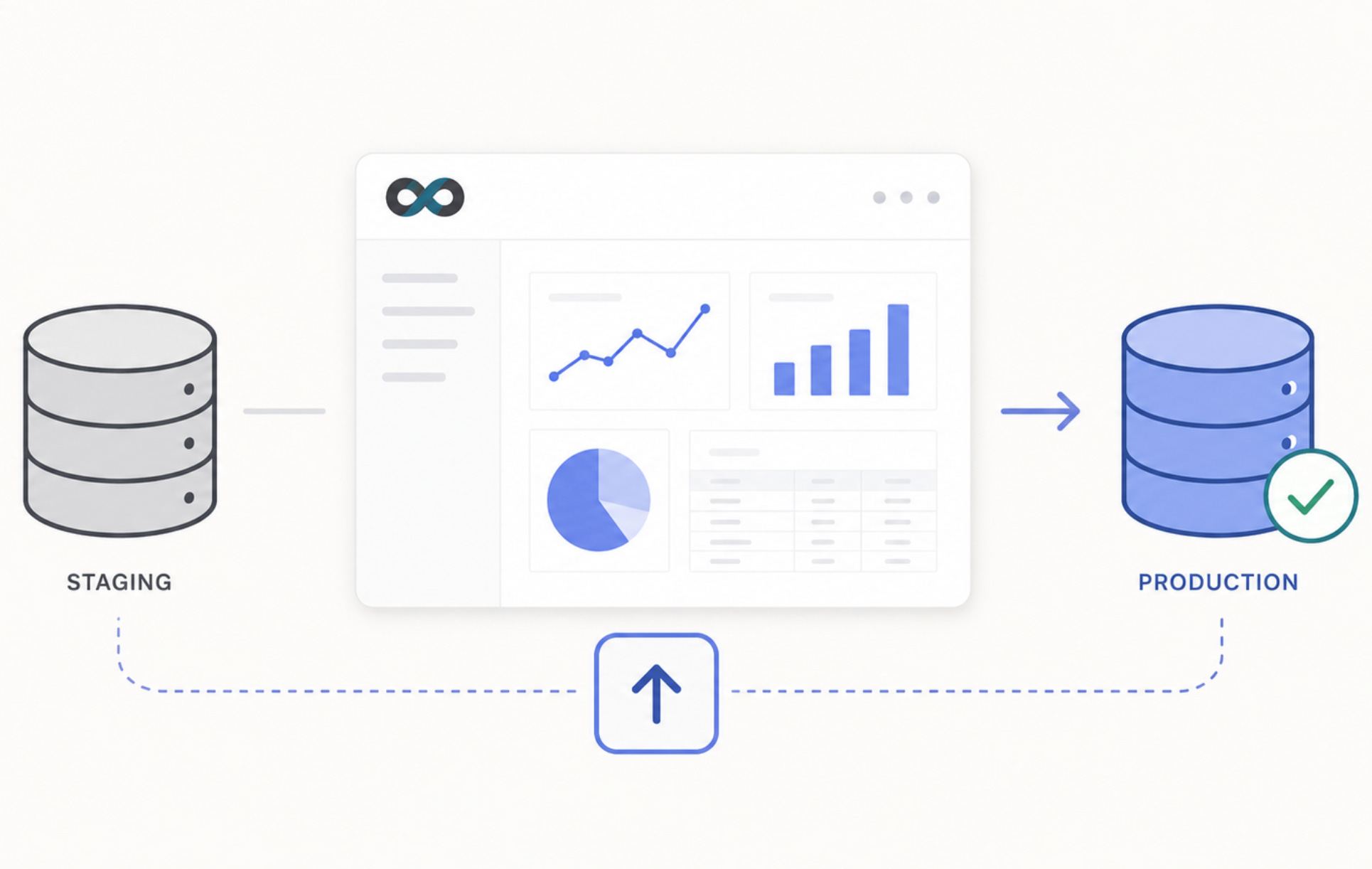
We ran into this enough times across client environments at Ponder that we stopped accepting it as normal. The result is superset-promote-dashboard: a pip-installable Flask plugin that adds a /promote_dashboard/ view to any single Superset instance. Pick a dashboard, pick a target database registered on that same instance, preview the swap plan, click Promote. If a matching dataset doesn’t exist yet in the target database, the plugin creates it and syncs the columns automatically. No Superset source modifications required — it registers via FLASK_APP_MUTATOR and stays out of the way.
Check the repo: https://github.com/ponderedw/superset-promote-dashboard
Getting it running
Installation is a single pip command alongside your existing Superset dependencies:
pip install superset-promote-dashboardThen wire it into your superset_config.py via the FLASK_APP_MUTATOR hook — the same pattern Superset recommends for any additive extension, no core files touched:
def init_promote_plugin(app):
    from superset_promote_dashboard.promote_view import PromoteDashboardView
    app.appbuilder.add_view(
        PromoteDashboardView,
        "Promote Dashboard",
        icon="fa-arrow-circle-up",
        category="Custom Tools",
        category_icon="fa-wrench",
    )

FLASK_APP_MUTATOR = init_promote_plugin
Restart Superset and Custom Tools → Promote Dashboard appears in the nav.

The full snippet in the repo also grants the necessary permissions to the Admin role automatically on startup, so there’s no manual ACL step.
If you want to try it first, clone the repo and run:
docker compose upThat spins up Superset 4.1.1 with the plugin pre-installed, a PostgreSQL container running two databases with a school-year dataset seeded in each, and a demo dashboard ready to promote. Login at localhost:8088 with admin / admin — no configuration needed.
Seeing it work
To try it out, we built three datasets against our source connection and one against the target:
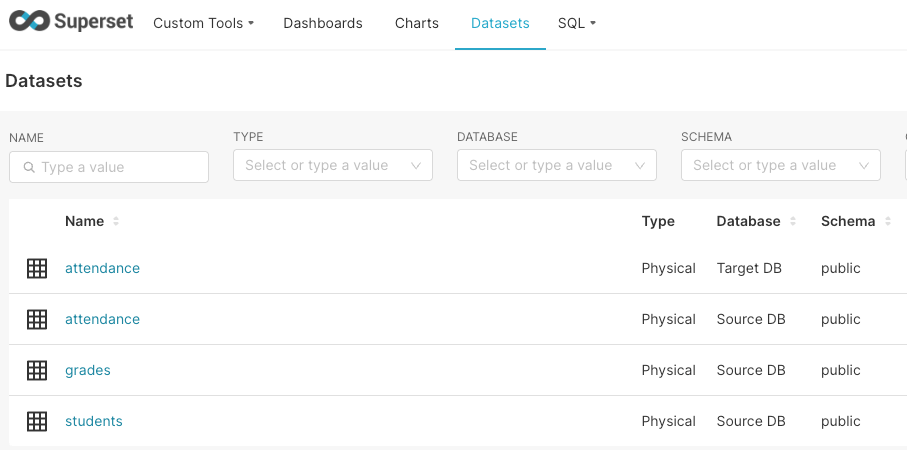
then wired them into a simple dashboard.
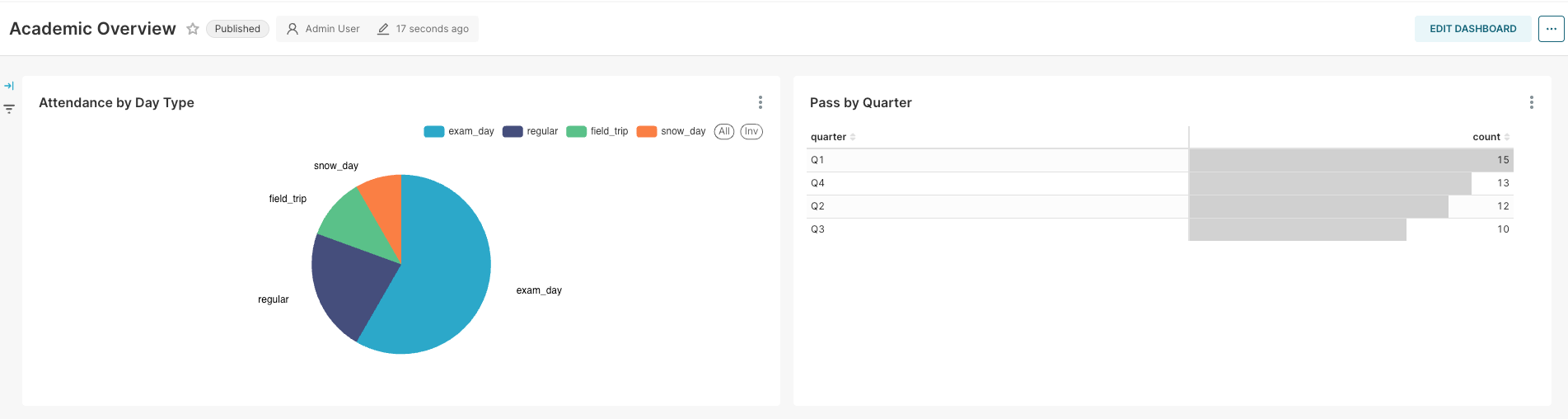
Back on the plugin page, we picked that dashboard and set the target database.
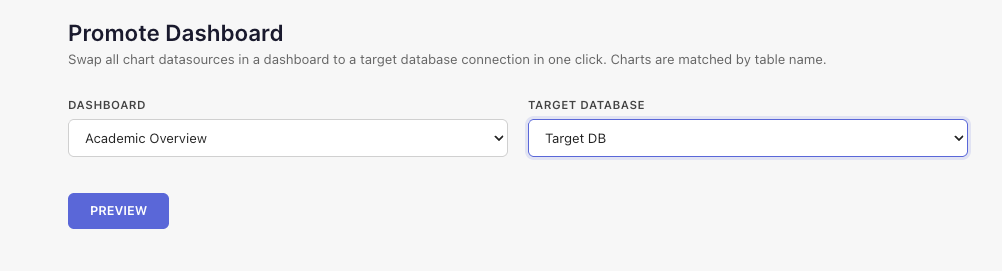
The preview does the diffing for us: one dataset already exists in the target and will have its columns synced, the other doesn’t exist yet and will be created from scratch. No guessing which chart points where.
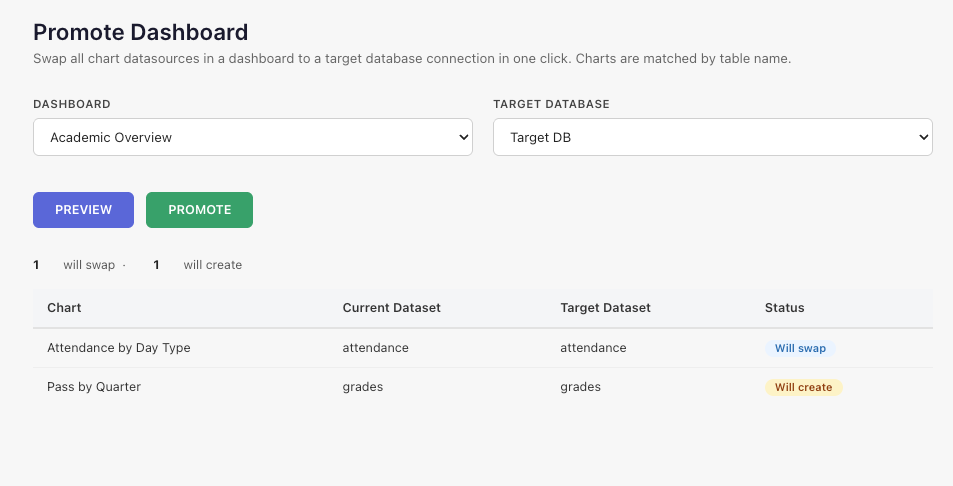
Click Promote:
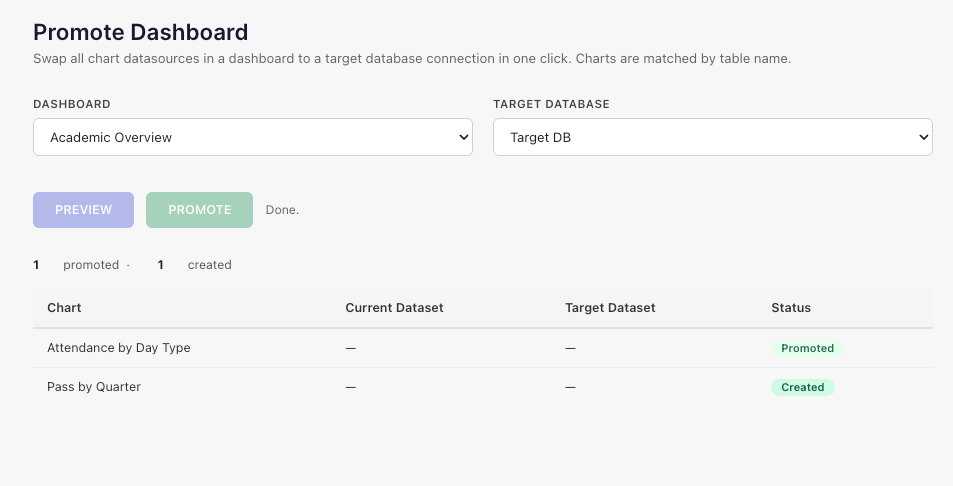
then check the dashboard:
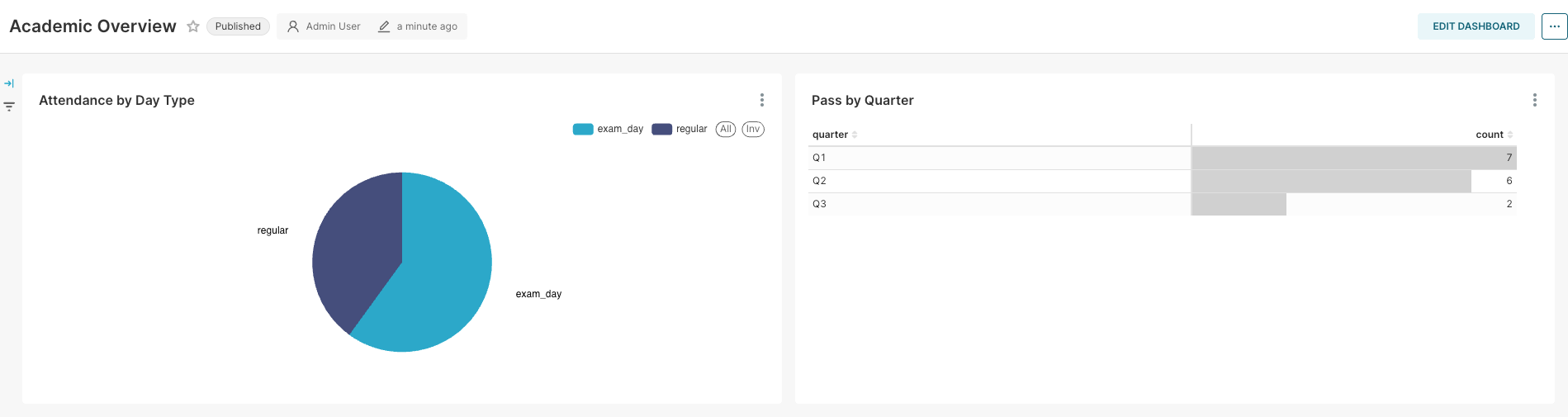
every chart is now running against the target connection. And since nothing about the source was touched, reverting is just running the promotion the other way.
Wrapping up
That’s the whole workflow: no chart-by-chart editing, no accidental re-pointing of dashboards you forgot were sharing a dataset. Promotion becomes a two-click, previewable action instead of a manual audit.
It’s a small tool solving a specific problem we kept hitting, not a general-purpose migration framework — it doesn’t handle charts with mixed datasources across databases, and it assumes your target database is already registered in Superset. If you run into either, or want to extend it, the repo’s open: github.com/ponderedw/superset-promote-dashboard. Issues and PRs welcome!
If you’re interested in cross-cluster dashboard promotions, keep an eye on our publications — we have something coming soon that also ties into our DWE package, which we’ll talk more about shortly :)