

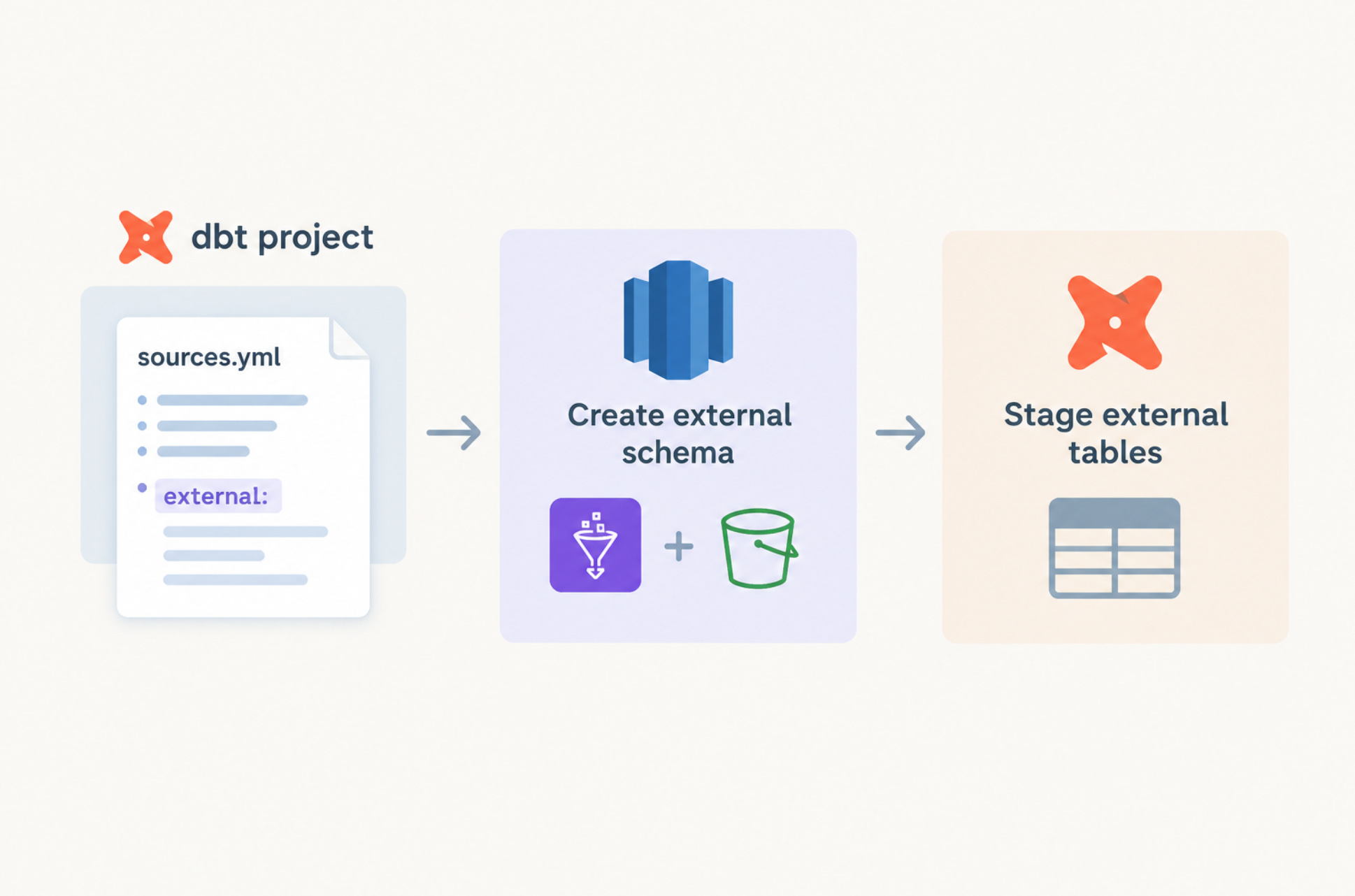
If you manage S3-backed data in Redshift Spectrum through dbt, you’re probably using dbt-external-tables, the package dbt Labs maintains for exactly this. It does its one job well. You describe a table in sources.yml with an external: block, run dbt run-operation stage_external_sources, and the table exists. The definition is versioned and reviewable, and it lives next to the models that read from it. It also covers far more than Redshift: Snowflake, BigQuery, Spark, Synapse, and Azure SQL all go through the same interface.
There’s one thing it assumes, and to its credit it says so up front. The README’s setup section lists the prerequisites you’re expected to have already created, and for Redshift Spectrum that’s an external schema and an S3 bucket.
On paper that’s a fair scoping decision for a multi-warehouse package. In practice, on Redshift, it’s the step that pulls every new data source outside your dbt project.
Why the schema isn’t just a schema
In Redshift, an external schema isn’t a CREATE SCHEMA. It’s a pointer to a Glue Data Catalog database, plus the IAM role Redshift will assume to read from S3:
create external schema if not exists my_schema
from data catalog
database 'glue_database_name'
iam_role 'arn:aws:iam::123456789012:role/MySpectrumRole'
create external database if not exists;
That statement is Redshift-specific, and dbt-external-tables doesn’t issue it. So onboarding a new source goes like this:
Write the
sources.yml.Open the PR and get it merged.
Run
stage_external_sources, which fails because the schema doesn’t exist.Go create the schema somewhere else.
That “somewhere else” depends on the team. It might be a Terraform resource or a CloudFormation stack. It might be a pre-hook someone wrote three projects ago that nobody wants to touch. Or it’s a Slack message to whoever has the right permissions. Whichever one you have, the tables are managed in dbt and the schema that holds them isn’t. Every new source needs a trip outside the repo before dbt can do the part it’s actually good at.
We hit this enough times building out Spectrum sources at Ponder that we stopped treating it as normal.
The fix: create the schema before staging the tables
dbt-external-tables-and-schemas is a thin wrapper around dbt Labs’ package, not a fork or a rewrite. It adds one step in front of it:
Collect every unique schema across the external sources you’re staging.
Run
CREATE EXTERNAL SCHEMA IF NOT EXISTSfor each one.Hand off to
dbt_external_tables.stage_external_sources, unchanged.
If the schema already exists, the statement is a no-op. If it doesn’t, it gets created, along with the Glue database behind it if needed. Either way, staging no longer has a precondition you have to remember.
The command stays exactly the same:
dbt run-operation stage_external_sourcesYou don’t learn a new operation, and nobody has to remember a separate “create schemas first” step at onboarding time.
Installing
In packages.yml, replace your dbt-external-tables reference with this package. Don’t list both. This package pulls in dbt Labs’ original as a dependency, so you still get their releases and fixes underneath.
packages:
  - git: "https://github.com/ponderedw/dbt-external-tables-and-schemas.git"
    revision: v1.0.0
Then run dbt deps.
Configuration
Creating a schema needs two values: the Glue database name and the IAM role ARN. Both are set at the project level and can be overridden per source.
The common case is a prefix pattern, where one set of vars covers every schema in the project:
# dbt_project.yml
vars:
  ext_database_prefix: "aws_database_production"
  ext_iam_role_prefix: "arn:aws:iam::123456789012:role"
  ext_iam_role: "arn:aws:iam::123456789012:role/DefaultSpectrumRole"
With ext_database_prefix set, a schema named external_tables_qualtrics resolves to the Glue database aws_database_production_external_tables_qualtrics, with no per-source config needed. ext_iam_role is the fallback for any source that doesn’t name its own role.
When a source needs something different, override it in config.meta or external.meta:
sources:
  - name: my_source
    tables:
      - name: my_table
        config:
          meta:
            iam_role: "my_spectrum_role"  # short name, expanded with ext_iam_role_prefix
        external:
          location: "s3://..."
Short role names are expanded with ext_iam_role_prefix, and full ARNs are used as-is. Both values resolve in this order, and the first match wins:
An explicit per-source value
An explicit project-wide value
The project-wide prefix
What actually runs
For each unique schema among the targeted sources:
create external schema if not exists <schema>
from data catalog
database '<database>'
iam_role '<iam_role>'
create external database if not exists;
Then dbt_external_tables.stage_external_sources runs exactly as it did before.
Worth being honest about the edges
This package is built for Redshift Spectrum, and that’s the only place it adds anything. On Snowflake, BigQuery, or Spark it falls back to dbt-external-tables’ own create_external_schema and behaves exactly like the original. There’s no reason to switch to it there.
It also doesn’t manage the infrastructure under the schema. The IAM role still has to exist, and it needs permission to read the S3 locations. If you rely on create external database if not exists, the role also needs permission to create Glue databases. That’s still Terraform’s job, and it should be. Roles and permissions change rarely and carry real blast radius, while schemas change every time someone adds a source. Those two shouldn’t share a workflow.
It’s also strictly additive. It doesn’t drop, rename, or reconcile schemas. Remove a source from sources.yml and its schema stays where it was.
What it does do is split the work by how often it changes. The frequent part, “a new source needs a new schema,” moves back into the repo where the source is defined. The rare part, “Redshift needs a role it can assume,” stays with infra. We made the same split for Trino and Glue in Hive Data Ingestion, Simplified: table definitions live in dbt, and permissions live wherever your permissions live.
Adding a source is still a sources.yml change, but now nobody has to go outside the repo before it works.
Repo: github.com/ponderedw/dbt-external-tables-and-schemas
Built on: dbt-labs/dbt-external-tables, maintained by dbt Labs (Apache-2.0). All the table staging logic is theirs. We only added the schema step in front of it.