

Introduction
A couple of weeks ago, we shared several blog posts about different ways we’re making data more accessible and interactive: our Superset MCP (link), loading dbt metadata into GraphDB (link), and an amazing AI-powered UI plugin for Airflow that lets you interact with your workflows directly in the UI (link).
Today, I want to bring all three together and introduce superset-chat - a library that helps you manage both your dbt and dashboard metadata right in the Superset UI, powered by AI, Superset MCP, and our Falkor DB plugin. You can check it out on GitHub: superset-mcp-plugins.
If you’ve ever felt a disconnect between BI and transformation logic, this library might resonate. It can answer questions like, “Which dashboards depend on source X?” - even when those sources aren’t referenced directly. While still a POC, superset-chat has already helped us organize educational metadata, and we’re excited to share it with the community. Maybe you’ll help improve it or come up with something entirely new!
Quickstart
You can try superset-chat in two ways:
1. Use your existing Superset
If you already have a Superset deployment, you can integrate the plugin directly:
Install the plugin:
pip install superset-chatUpdate your superset_config.py to register the plugin:
FLASK_APP_MUTATOR = lambda app: init_custom_views(app)
def init_custom_views(app):

    from superset_chat.ai_superset_assistant import AISupersetAssistantView

    appbuilder = app.appbuilder
    appbuilder.add_view(
        AISupersetAssistantView,
        “AI Superset Assistant”,
        icon=”fa-robot”,
        category=”Custom Tools”
    )
Make sure you have the following environment variables set for your deployment:
LLM_MODEL_ID=bedrock:anthropic.claude-3-5-sonnet-20240620-v1:0  # Must start with ‘bedrock’, ‘anthropic’, or ‘openai’
# ANTHROPIC_API_KEY=...              # Required if using Anthropic
AWS_ACCESS_KEY_ID=’...’             # Required if using Bedrock
AWS_SECRET_ACCESS_KEY=’...’         # Required if using Bedrock
SQLALCHEMY_DATABASE_URI=postgresql+psycopg2://postgres:postgres@postgres:5432/postgres
SUPERSET_API_URL=http://localhost:8088
SUPERSET_USERNAME=superset_admin
SUPERSET_PASSWORD=superset
GRAPH_DB=falkordb                     # Optional: enable GraphDB connection
GRAPH_HOST=...                        # Optional: if using a remote GraphDB
GRAPH_USER=...
GRAPH_PASSWORD=...
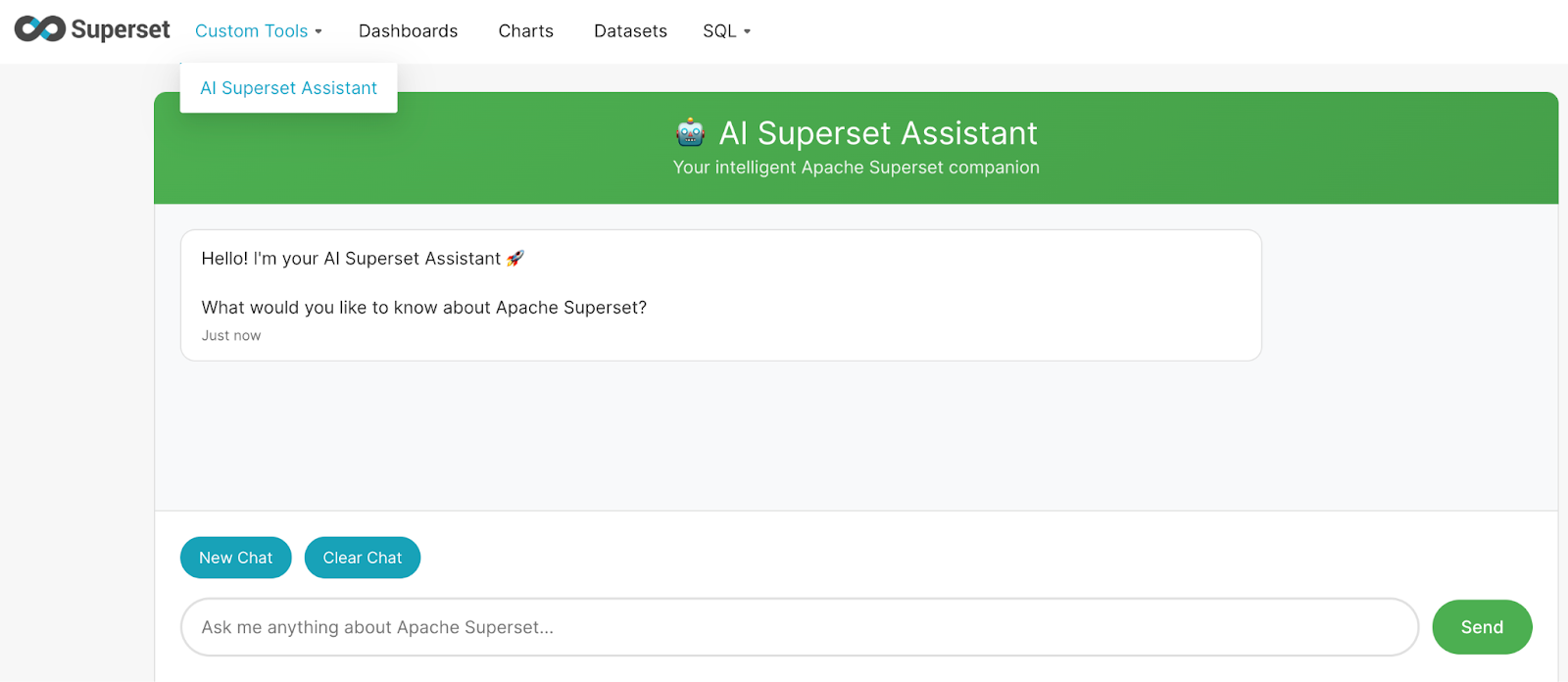
Restart Superset, log in, and open AI Superset Assistant under Custom Tools.
2. Run the local deploy
If you don’t have a Superset deployment, you can use our preconfigured local setup:
Clone the repository:
git clone https://github.com/ponderedw/superset-mcp-plugins.git
cd superset-mcp-plugins
Copy the environment template and configure credentials:
cp template.env .envThe minimal .env for local deploy (we use FalkorDB in this tutorial) can be:
LLM_MODEL_ID=bedrock:anthropic.claude-3-5-sonnet-20240620-v1:0
# ANTHROPIC_API_KEY=...
AWS_ACCESS_KEY_ID=’...’
AWS_SECRET_ACCESS_KEY=’...’
SQLALCHEMY_DATABASE_URI=postgresql+psycopg2://postgres:postgres@postgres:5432/postgres
SUPERSET_API_URL=http://localhost:8088
SUPERSET_USERNAME=superset_admin
SUPERSET_PASSWORD=superset
GRAPH_DB=falkordb
Run Superset with superset-chat:
just run_supersetNavigate to your Superset instance (usually http://localhost:8088) and open AI Superset Assistant under Custom Tools.
This local deploy is a fully working Superset + superset-chat environment, so you can start experimenting even if you don’t have your own deployment.
Using superset-chat: Examples
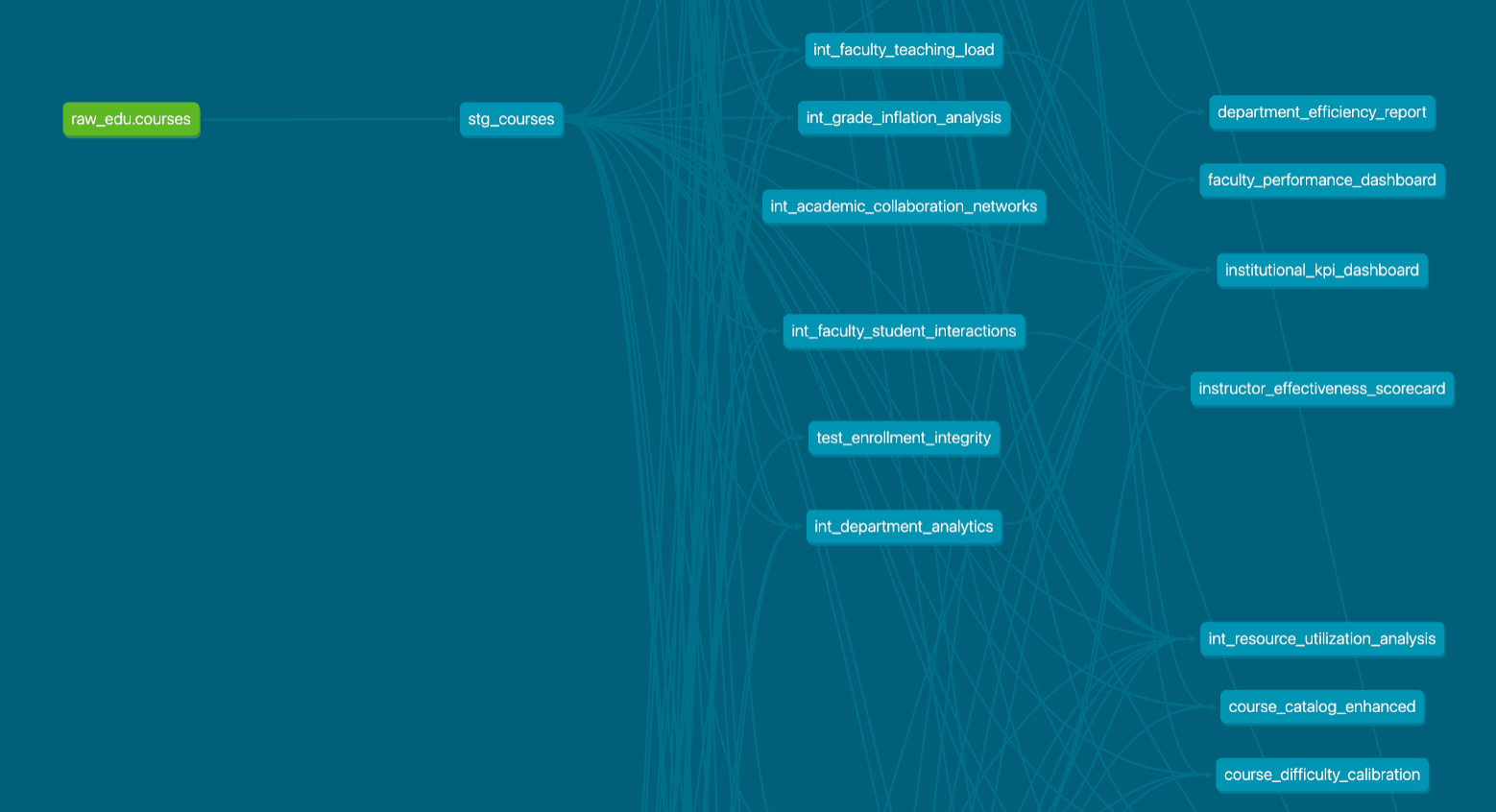
If you’re using our project, we’ve included a dbt project that was automatically loaded into FalkorDB, along with Superset charts and dashboards that were imported into Superset. You can explore all of them in the UI as well as in dbt docs.

Now, let’s try out the plugin with a few example queries:
Superset-related question:
“Quick question – what’s our current count of Superset dashboards and charts?”


As expected, superset-chat lists all the Superset metadata correctly – dashboards and charts – just like in the UI. Cool!
dbt-related question:
“Hey! Do you know how many dbt models we have in total?”


We can check the answer in dbt docs, and it’s completely correct. Awesome!
Combined dbt + Superset question:
“Could you help me find all the dbt sources (not models) used in the Student Academic Standing chart?”

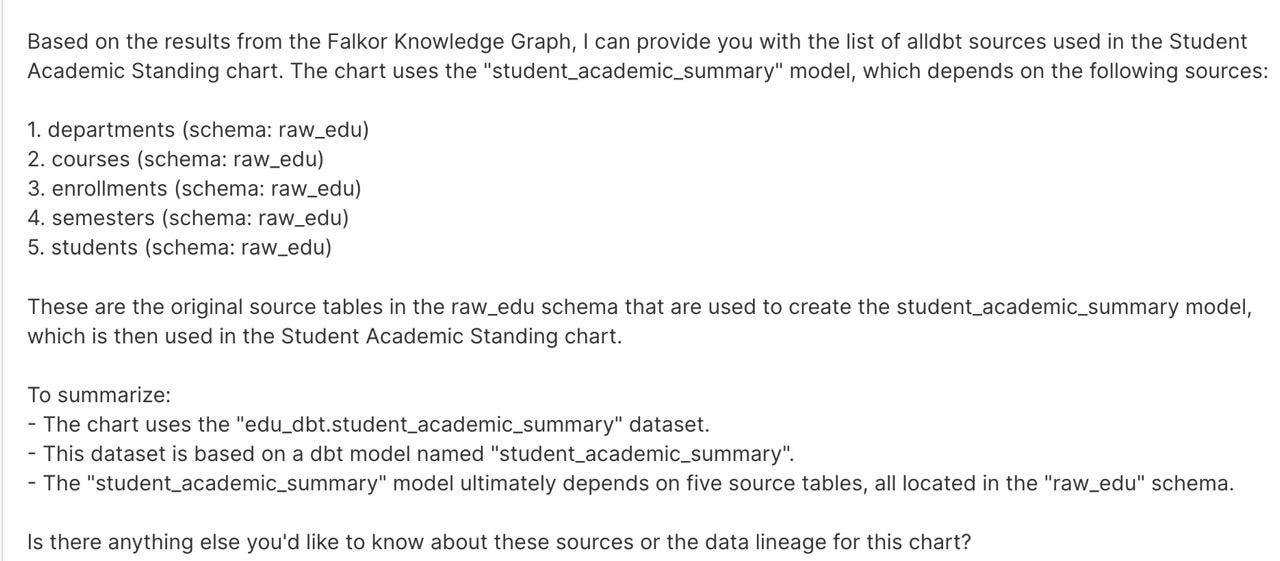
Amazing! superset-chat traced the chart all the way back to the underlying database tables. This shows how we can connect Superset dashboards directly to dbt metadata seamlessly.
Connecting BI and Transformation Metadata with AI
Connecting BI and Transformation Metadata with AI
With superset-chat, you can finally see your BI layer and your transformation logic in one place, without manually tracing dependencies or opening multiple tools. By unifying dbt lineage and Superset metadata, the plugin allows you to:
Ask natural-language questions spanning both dashboards and data models.
Trace dashboards and charts back to the underlying source tables.
Verify dbt lineage directly from Superset without leaving the UI.
Quickly get insights that previously required multiple queries or digging through documentation.
Even as a POC, superset-chat already shows how AI can bridge the gap between data transformation and business intelligence. It’s also beginning to influence some of our internal workflows - for example, in our work with Uncommon Schools we’re exploring how the assistant can accelerate outage protocols, particularly when on-call responders aren’t familiar with the specific code paths involved. This kind of scenario highlights the value of unifying metadata and making it accessible through natural language.
Whether you’re exploring dashboards, analyzing dbt models, or troubleshooting lineage issues, this tool turns what was once a fragmented process into a single, interactive experience. We’re excited to share this with the community and invite you to try it, suggest improvements, or build on it for your own workflows. It’s a step toward truly connected, AI-powered data exploration.